

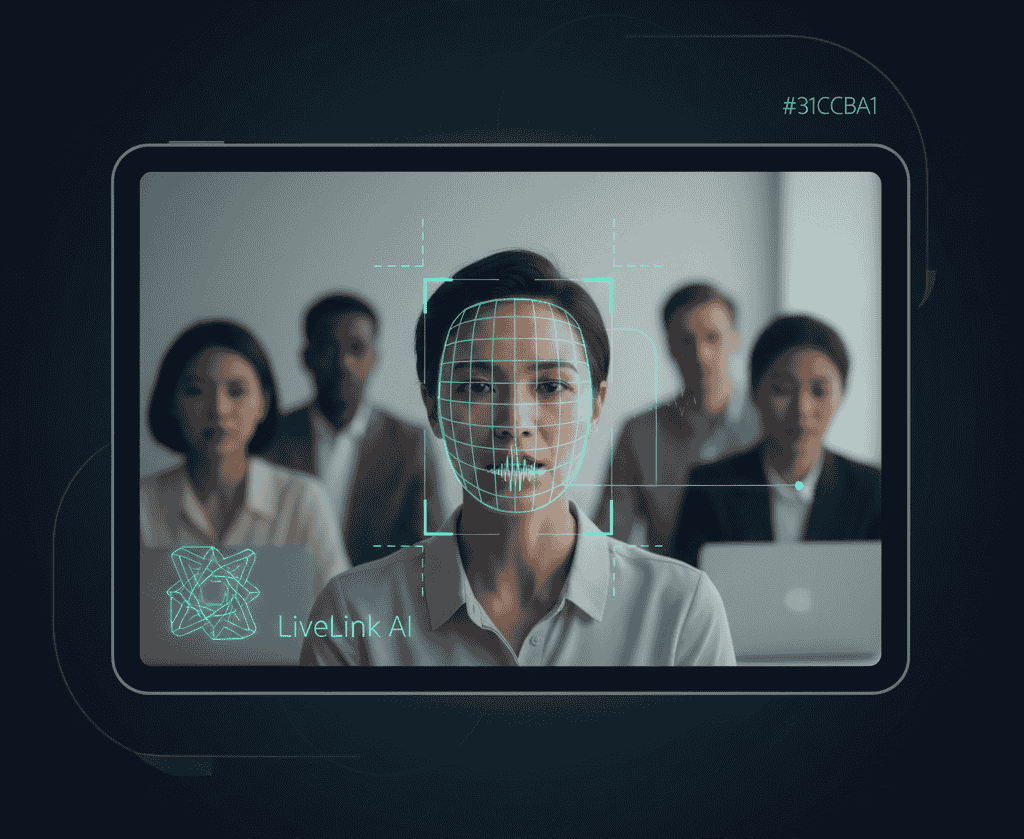

In today’s fast-paced digital world, maintaining viewer attention in video content is critical. One of the most common challenges creators face is keeping the audience focused on the speaker, especially during webinars, interviews, lectures, and long-form content. Without proper emphasis, viewers can quickly lose interest, leading to lower retention and engagement. Speaker tracking technology offers an effective solution, enabling automated focus on the speaker while enhancing the overall viewer experience.
This guide explores how speaker tracking works, its benefits, real-world applications, and actionable strategies for creators and agencies using tools like LiveLink AI.
What is speaker tracking
Speaker tracking is an AI-driven technology designed to detect, follow, and maintain focus on the person speaking in a video. It uses computer vision, facial recognition, audio cues, and motion tracking to automatically adjust framing and camera focus as the speaker moves. Advanced systems can even manage multiple speakers, ensuring smooth transitions during discussions.
Key capabilities of speaker tracking
- Automatic framing: Keeps the speaker centered in the frame regardless of movement.
- Dynamic zoom: Adjusts zoom levels based on the speaker’s proximity and movement.
- Scene awareness: Differentiates the speaker from background elements for clarity.
- Multi-speaker handling: Switches focus seamlessly between active speakers.
- Enhanced captions integration: Works in conjunction with transcription tools to keep text aligned with the speaker.
Why maintaining video focus matters
Viewer attention spans are short. Poor framing or distracted camera work can reduce engagement, even if the content itself is high quality. Research shows:
- 80% of viewers abandon videos within the first 10 seconds if visuals are not engaging (Wistia)
- Retention improves by 50% when the subject remains centered (HubSpot)
- Engagement metrics such as likes, comments, and shares increase when videos maintain visual focus (Vidyard)
Speaker tracking ensures the audience can follow the content easily, reduces visual distractions, and improves professional presentation.
How speaker tracking works
1. Detection
AI identifies faces and bodies in the frame, analyzing lip movements, audio input, and gestures to determine who is speaking. This process is crucial in multi-person settings, such as panels or group discussions.
2. Tracking
Once identified, the system continuously monitors the speaker’s movement. Whether the person moves laterally, gestures, or shifts positions, the AI keeps them centered, ensuring they remain the visual focus.
3. Framing and zoom adjustments
AI dynamically adjusts zoom and crop to maintain optimal visual impact. This prevents the speaker from appearing too small or partially out of frame, maintaining a consistent viewing experience.
4. Multi-speaker transitions
Advanced speaker tracking tools, including LiveLink AI, detect which participant is currently speaking and switch focus seamlessly, mimicking professional camera work without manual intervention.
5. Integration with post-production
Speaker tracking can work during live recording or in post-production, allowing editors to refine focus, adjust transitions, and ensure smooth visual flow in final clips.
Benefits of speaker tracking
Improved engagement and retention
Videos that maintain focus on speakers hold viewers’ attention longer, reducing drop-off rates and increasing overall watch time. This is particularly critical for educational content, corporate webinars, and social media clips.
Enhanced production quality
AI-driven tracking replicates professional cinematography, reducing the need for multiple cameras or camera operators while producing consistently polished results.
Efficiency and cost savings
Automating camera adjustments cuts down on editing time and manpower requirements, allowing creators and agencies to scale content production efficiently.
Consistent branding and presentation
Maintaining uniform framing across multiple videos or campaigns improves visual consistency, reinforcing professional quality and client trust.
Real-world applications
Educational content
Online courses and tutorials benefit significantly from speaker tracking. Students remain focused on instructors, improving comprehension and engagement.
Corporate webinars
Speaker tracking ensures presenters remain centered and professional-looking, even if they move around a stage or interact with co-presenters.
Live streams
Streamers and content creators can move freely while AI keeps them in frame, allowing dynamic interaction without sacrificing focus.
Social media clips
Short-form content, such as Instagram Reels, TikTok videos, and YouTube Shorts, relies on visual clarity. Speaker tracking ensures that the most important person remains the focal point, enhancing viewer retention.
Tools for speaker tracking
LiveLink AI stands out for agencies and creators due to its powerful combination of automation, customization, and ease of use:
- Automatic detection and tracking: Maintains focus on active speakers without manual adjustments.
- Dynamic framing and zoom: Keeps speakers visible and centered regardless of movement.
- Multi-speaker support: Automatically transitions between participants.
- Integration with editing workflows: Simplifies clip creation, captioning, and social media adaptation.
Other AI tools offer similar functionalities, but LiveLink AI emphasizes usability, batch processing, and multi-platform optimization.
Implementing speaker tracking effectively
Step 1: Optimize recording environment
Good lighting, clear backgrounds, and minimal clutter improve AI tracking accuracy. Consistent lighting reduces shadows that can confuse the system.
Step 2: Ensure clear audio
Clear audio improves speaker detection, especially in environments with multiple participants or overlapping conversations.
Step 3: Plan for movement
Allow space for speakers to move naturally. AI tracking adjusts framing smoothly, but excessive rapid movement may still require minor manual adjustments.
Step 4: Review post-production
Even with AI assistance, reviewing the output ensures smooth transitions, proper focus, and alignment with captions or on-screen text.
Step 5: Repurpose clips
Use speaker-tracked footage to create multiple clips for social media, presentations, or educational content. LiveLink AI facilitates this process, allowing batch export and multi-platform formatting.
Advanced strategies
- Combine with AI clipping: Merge speaker tracking with automated highlight detection to generate engaging short clips from long-form content.
- Optimize captions and annotations: Synchronize text with speaker movement to enhance accessibility and comprehension.
- Analyze engagement metrics: Use data to refine which shots, angles, or transitions work best for audience retention.
FAQs
Can speaker tracking handle multiple people simultaneously?
Yes, advanced AI systems, including LiveLink AI, can track multiple speakers and switch focus dynamically.
Does speaker tracking reduce video quality?
No, AI maintains original resolution while adjusting framing, ensuring visual quality remains high.
Can speaker tracking be applied to pre-recorded content?
Yes, AI tools can analyze and track speakers during post-production for previously recorded videos.
Is manual intervention required?
Minimal intervention may be needed, primarily for fine-tuning transitions or captions.
Can it improve social media clips?
Absolutely. Speaker tracking ensures consistent focus in vertical, square, or landscape formats, enhancing viewer engagement.
Takeaway
Speaker tracking significantly improves video focus, retention, and professional quality. By automatically detecting, following, and centering speakers, creators and agencies can produce content that keeps audiences engaged, reduces editing workload, and maintains consistent visual quality. Tools like LiveLink AI make speaker tracking accessible, efficient, and scalable for various video projects, ensuring content remains captivating across webinars, lectures, interviews, and social media clips.


