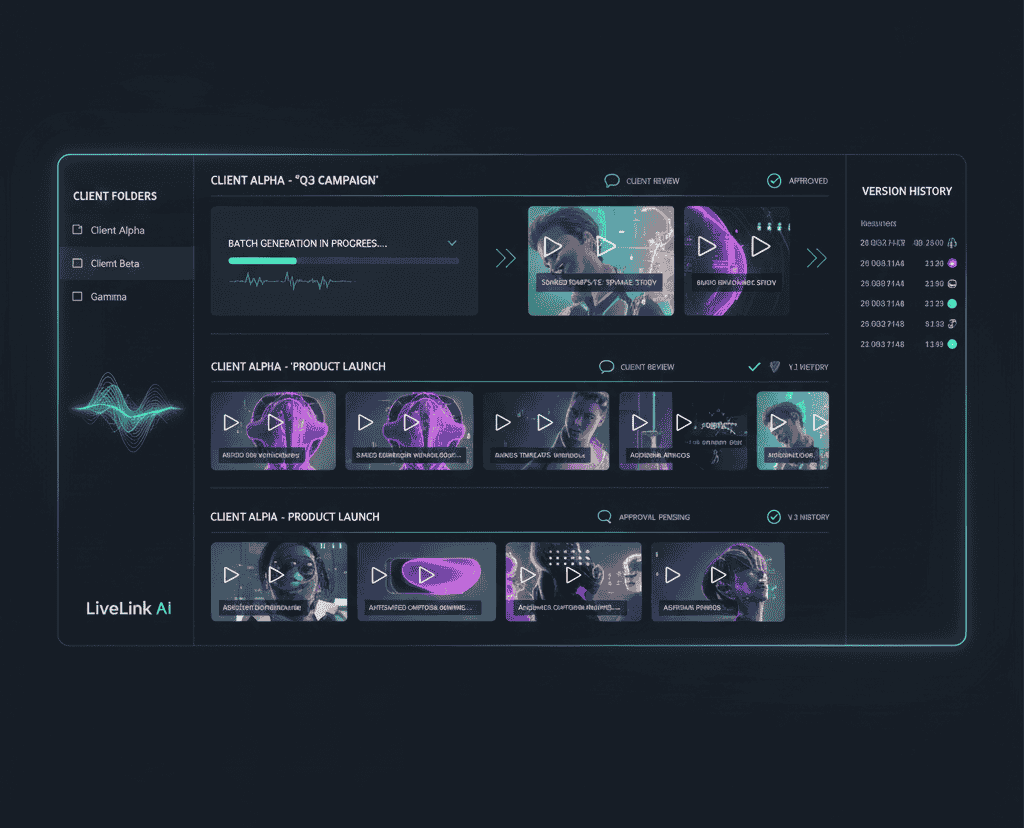
Agencies face unique challenges in video content creation. Clients demand high-quality clips consistently, across multiple platforms, with minimal turnaround time. Traditional editing pipelines can slow down production and drain resources, making it difficult to keep up with client expectations. This is where AI clip makers come into play, and why agencies are increasingly turning to tools like LiveLink AI.
In this article, we’ll explore why AI-powered clip makers are essential for agencies, what features make them effective, how to integrate them into workflows, and actionable strategies to maximize efficiency and client satisfaction.
Why agencies need AI clip makers
Agencies manage multiple clients, campaigns, and social media channels simultaneously. Manual editing for each client can create bottlenecks, increase costs, and reduce output quality. Marketers can speed up content creation using our AI video clipping software for marketers. AI clip makers offer several benefits:
- Time efficiency: Automate the clipping of long-form content into multiple short, shareable videos.
- Consistency: Maintain brand voice, style, and quality across all outputs.
- Scalability: Handle high volumes of content without expanding the team excessively.
- Multi-platform optimization: Create clips formatted for Instagram Reels, TikTok, YouTube Shorts, and more.
Statistics highlighting the rise of AI in video editing:
- AI video editing tools have grown by 75% in adoption among agencies in the past two years (Wyzowl)
- Social media video content drives 1200% more shares than text and images combined (Wordstream)
- Agencies using AI clip makers report reducing editing time by up to 50% (Content Marketing Institute)
- 68% of marketers say short-form videos improve client engagement significantly (HubSpot)
- Videos under 60 seconds get higher completion rates, making AI-generated clips ideal for campaigns (Vidyard)
What makes an AI clip maker effective for agencies
Not all AI clip makers are created equal. Agencies should prioritize the following features:
1. Automatic Highlight Detection
AI should analyze long-form videos and identify key moments based on engagement, speech emphasis, or visual cues. LiveLink AI excels here, automatically detecting impactful segments to turn into clips without manual intervention.
2. Multi-format Output
Agencies often manage multiple social platforms, each with its own video specifications:
- Vertical (9:16) for TikTok and Reels
- Square (1:1) for Instagram feeds
- Landscape (16:9) for YouTube
The AI should reframe and resize clips to fit each platform. LiveLink AI handles this automatically while preserving the focal point of speakers or visuals.
3. Captioning and Transcription
Text overlays and captions increase engagement and accessibility. A strong AI clip maker should automatically generate accurate captions, allowing easy edits. This is especially useful for agencies managing multiple languages or clients needing accessibility compliance.
4. Branding and Templates
Agencies must maintain consistent branding. Features that allow custom templates with logos, colors, and fonts save hours of repetitive work. LiveLink AI supports reusable branded templates for fast clip generation across multiple campaigns.
5. Batch Processing and Scheduling
The ability to process multiple videos in a batch and schedule them for posting is a game-changer. This ensures consistent client delivery and allows agencies to plan campaigns efficiently.
6. Analytics and Optimization Suggestions
Performance tracking is key. An effective AI clip maker provides insights into clip performance, engagement metrics, and suggestions for improvements.
Integrating AI clip makers into agency workflows
Step 1: Centralize content
Gather all client videos in a single location. Categorize by campaign, platform, and priority. This ensures the AI can process efficiently and consistently.
Step 2: Define client guidelines
Set branding rules, preferred clip length, style, and tone. LiveLink AI allows agencies to create and save these templates for consistent output.
Step 3: AI-assisted clipping
Upload long-form content to the AI clip maker. Let the AI automatically generate highlights, ensuring high-quality and engaging clips without manual editing.
Step 4: Review and fine-tune
While AI is efficient, human oversight ensures alignment with client messaging. Quickly review clips for accuracy, caption placement, and branding.
Step 5: Schedule and distribute
Use the AI tool’s scheduling features to auto-post clips to the correct platforms at optimal times. This saves manual labor and ensures consistent posting across multiple client accounts.
Step 6: Monitor analytics
Track clip performance, audience engagement, and completion rates. Use insights to tweak future content strategies and improve ROI for clients.
Case examples
Example 1: Marketing Agency for eCommerce Clients An agency managing 10 eCommerce brands used LiveLink AI to extract highlights from product demos and client webinars. Batch processing and scheduled posting reduced editing hours from 15 per week to 5, while engagement increased by 40%.
Example 2: Social Media Management Agency A small agency handling multiple influencers used LiveLink AI to reformat TikTok and Instagram Reels clips from long YouTube videos. Auto-captioning and branding templates maintained quality, and performance analytics guided their posting schedule, improving overall reach by 35%.
Advanced strategies for agencies
Repurposing content
AI clip makers allow agencies to repurpose webinars, tutorials, podcasts, and longer client content into multiple short-form clips suitable for various platforms. This maximizes content ROI and ensures every video serves multiple purposes.
Multi-platform optimization
Different platforms favor different styles. Agencies can leverage AI tools to resize, reframe, and optimize clips automatically, making campaigns more versatile and reducing manual adaptation work.
Continuous learning and tuning
Analyze which clips perform best across platforms. Use AI insights to adjust future clips, hooks, captions, and posting times for higher engagement. LiveLink AI provides reporting to support this iterative improvement.
Takeaway
For agencies, the pressure to produce high-quality, engaging video content across multiple clients and platforms is constant. AI clip makers, particularly LiveLink AI, provide a solution that balances speed, efficiency, and quality.
Agencies can collaborate efficiently using our team-based video clipping software. By integrating AI-driven clipping, automated captioning, branding templates, and scheduling into agency workflows, teams can handle larger workloads, deliver consistent results, and use insights to improve future campaigns. Agencies adopting AI tools strategically can manage more clients, create more content, and maintain high engagement without overextending resources.
Who are Found and what is an office broker?
An AI clip maker is a software tool that uses artificial intelligence to automatically generate short video clips from longer content, optimizing them for engagement and platform specifications.
LiveLink AI provides automatic highlight detection, multi-platform formatting, captioning, branding templates, batch processing, and analytics, all essential for agency workflows.
Not entirely. AI speeds up routine tasks and highlights content efficiently, but human review ensures messaging, branding, and quality standards are met.
By using templates, color schemes, logos, fonts, and pre-defined styles in AI tools, agencies can ensure clips align with client brand guidelines.